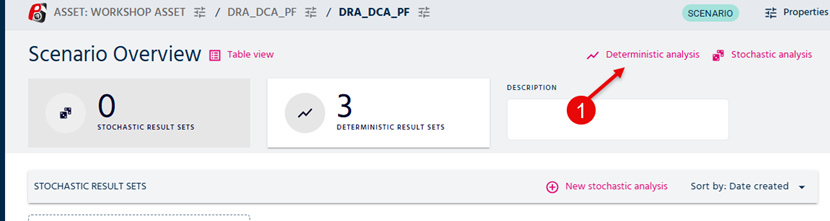
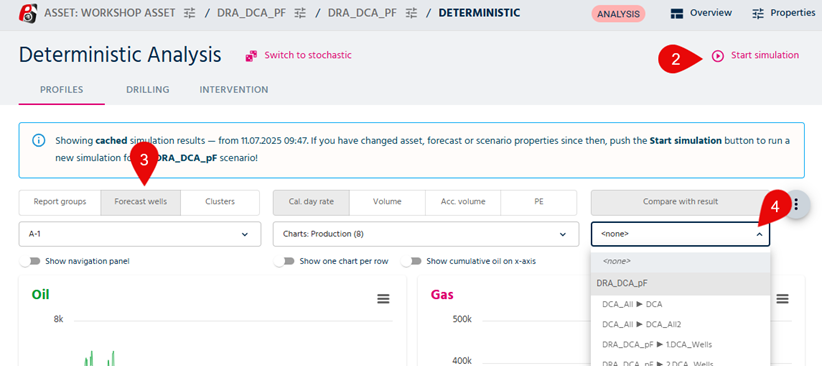
When you have made at least 1 result set, it is very easy to compare this to your current simulation. Follow the steps 1-4 to see how to in the figures below:
- In the first image, select Deterministic analysis, step 1.
- In the second image, you will need to start "a current simulation" with step 2
- When the results are shown for your simulation, you will need to select "Forecast wells" button, step 3.
- Then you will access to the "Compare with result" in step 4.
Was this article helpful?
That’s Great!
Thank you for your feedback
Sorry! We couldn't be helpful
Thank you for your feedback
Feedback sent
We appreciate your effort and will try to fix the article