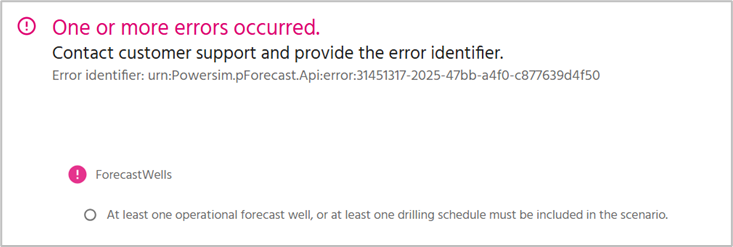
If you encounter an error message like the one below, it is likely that you only have wells that are not drilled yet, which require a drilling plan and you have probably forgot to specify such drilling schedule for your analysis. Return to the Scenario Properties, navigate to the Drilling tab, and enable at least one available drilling schedule.
Alternatively, your wells may all be set to expect to have a drilling schedule, but should have been wells in production. Check your settings in the Forecast Properties, navigate to the Forecast wells tab and check your Well type and if the slider is set on “Is in operation” or not. Either turn your well into operation or provide a drilling schedule for it.
Was this article helpful?
That’s Great!
Thank you for your feedback
Sorry! We couldn't be helpful
Thank you for your feedback
Feedback sent
We appreciate your effort and will try to fix the article