The admin of each asset can control which users will be a "contributor" and which users are only on the "watch list". The admin of each asset might be either a project leader or the discipline lead for the asset.
- pForecast is accessible through a web browser.
- The users need to request access to pForecast via their company IT support.
Users can be assigned different roles at the corporate level as well as per asset. For each role, there are associated access rights. For an asset, the following roles and their respective access rights are applicable:
- Administrator: Allowed to administrate asset, e.g., assign users to roles
- Contributor: Allowed to work with forecasts
- Editor: Allowed to work with forecasts and flag forecasts for review
- QC: Allowed to work with forecasts, flag forecasts for review, and approve/reject forecasts
- Subscriber: Allowed to view forecasts
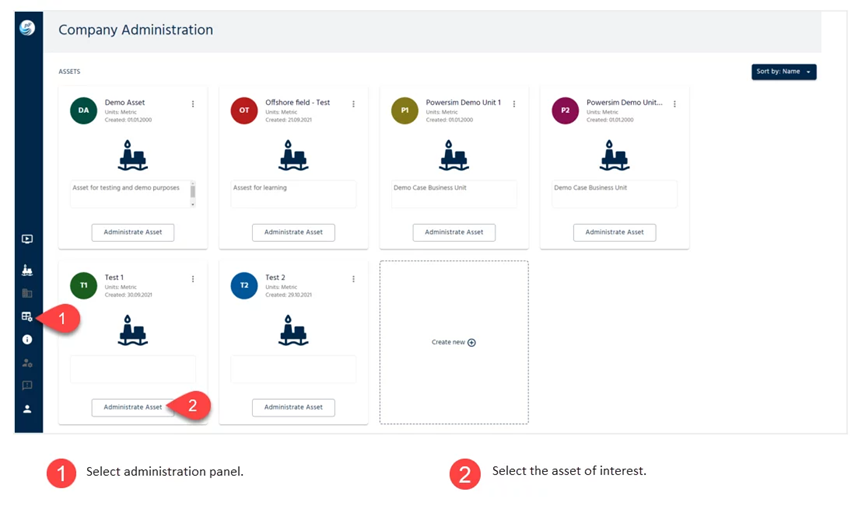
Figure below shows where the users’ roles can be defined for each asset.
Was this article helpful?
That’s Great!
Thank you for your feedback
Sorry! We couldn't be helpful
Thank you for your feedback
Feedback sent
We appreciate your effort and will try to fix the article